
First Run
Once the stack is up, complete these steps to make Devify usable.
1. Superuser
The superuser is created automatically from DJANGO_SUPERUSER_* on first startup. Confirm you can log in.
2. Configure LLM providers
Model providers are configured in the management console — not primarily through .env. Open /management/llm/config, add one or more provider entries, and run the built-in connection test.
See LLM providers for the full walkthrough.
3. Bind models
In /management/app-settings and /management/threadline/config, bind a multimodal model (image understanding), a text model (summarization), and the smart-delivery channel model.
See App settings & model binding.
4. Health check
# Dev
curl -f http://127.0.0.1:8000/health
# Production (via Nginx)
curl -f http://127.0.0.1:10080/health
5. Verify end to end
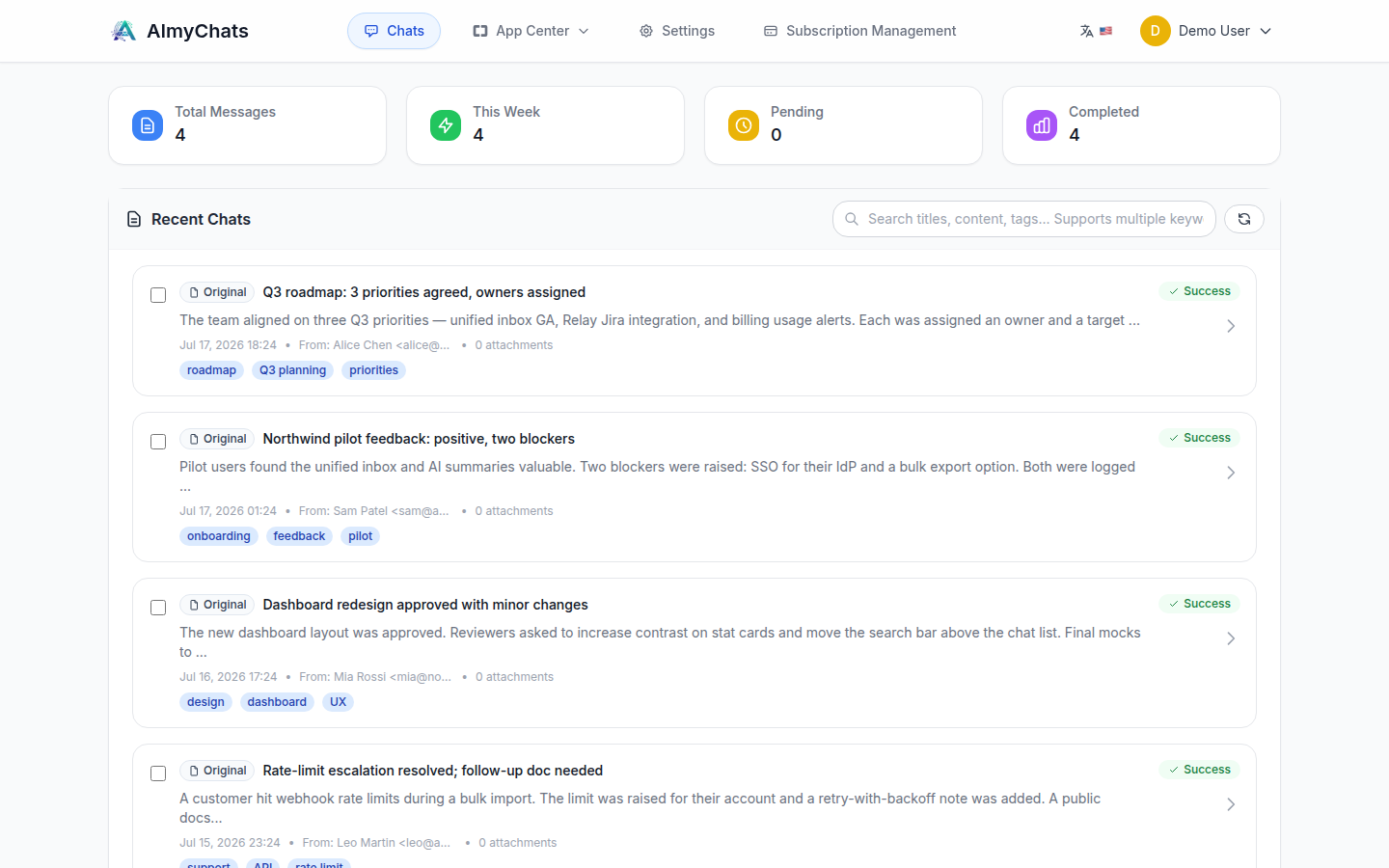
Forward an email to your inbox address ({username}@{AUTO_ASSIGN_EMAIL_DOMAIN}) and watch it get processed. A successful run appears in the console with a Success status, an AI summary, tags, and any extracted TODOs:
Next, see the User Guide for using the console and the full Threadline workflow.